Connect to Computer:Allows for computer playback and recording, making it ideal for podcasts and studio use.
Freeboss Mixer|Freeboss Ag As04a|88 DSP Effects:Features 88 DSP effects, including echo, reverb, and flanger, to enhance your audio mix.
USB Power Supply:Offers USB power supply for flexibility, with the ability to use power banks or adapters.
4 Channels Input:Includes 4 channels (2 mono, 1 stereo) for versatile audio mixing options.
Bluetooth Function:Equipped with Bluetooth for wireless connectivity, enabling live broadcasts and podcasts.


Freeboss AG-AS04A
4 channels (2 mono + 1 stereo) audio mixer usb bluetooth 88 dsp effects pc mixing console for podcast, home karaoke, party, church, ect.
Selling Point
1. 4 Channels (2 mono + 1 stereo)
2. 88 effects
3. USB power supply
4. Bluetooth function
5. USB record, play
6. Computer play & record
7. Mobile live broadcast (podcast)
8. Mini, portable
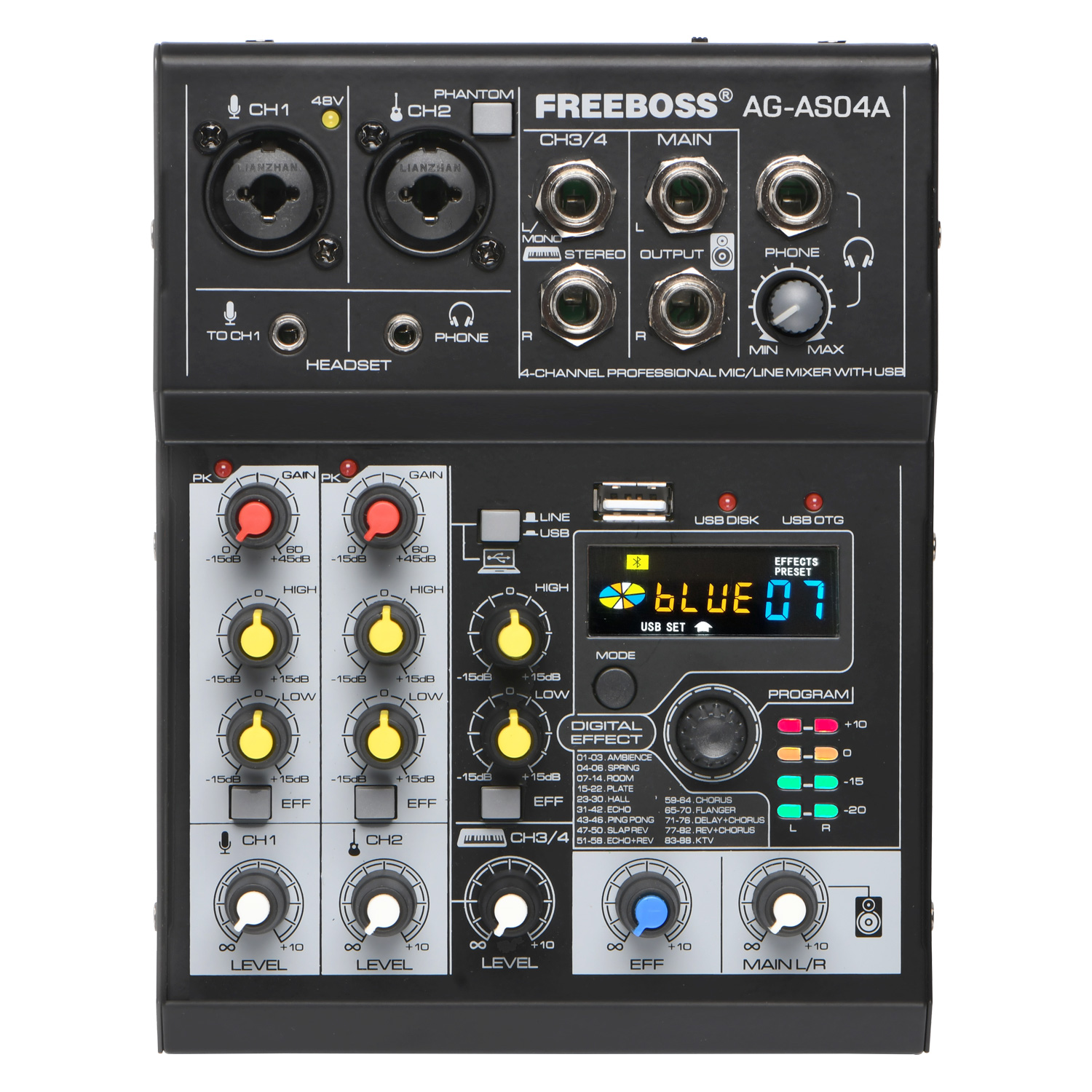
4 Channels Input
1.2 Mono Channels
1) Combination socket for XLR & 1/4' plug
2) There is a +48V phantom power button
2.1 Stereo Chanel
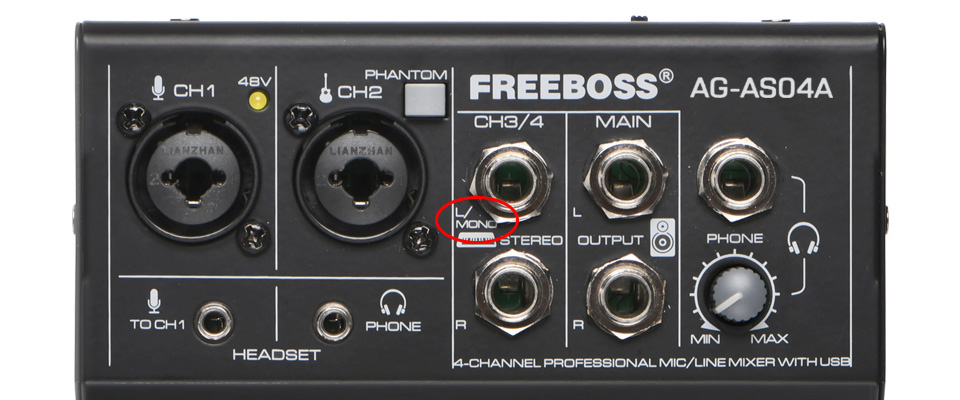
Channel 3 is a L/Mono channel.
When using only channel 3, the main output will output CH3's signal to left and right channels.
When using only channel 4, the main output will output CH4's signal to right channel
When using channels 3/4 at the same time, the main output will output CH3's signal to left channel and CH4's signal to right channel.
88 Digital Effects
For the model, it has 88 effects, such as room, hall, echo, reverb, flanger, etc.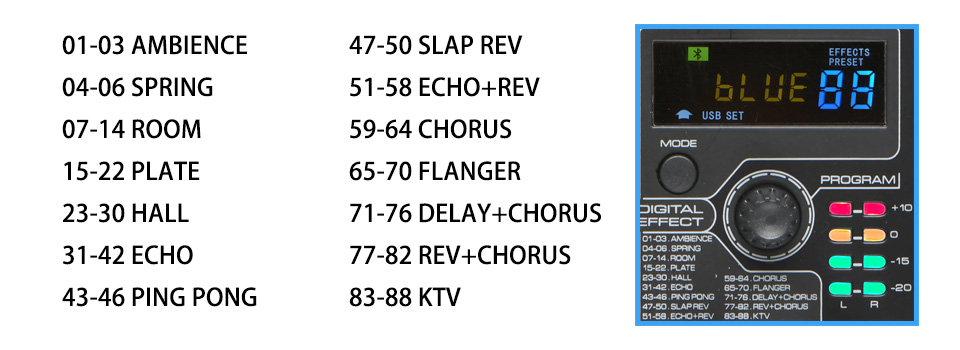
USB power supply
1.When switch is on "5V DC" position, for the Type-C interface, it is only for power
1) You can use Power adapter to supply power
2) or you can use Power bank to supply power
3) you can use Bluetooth or USB-interface of front panel
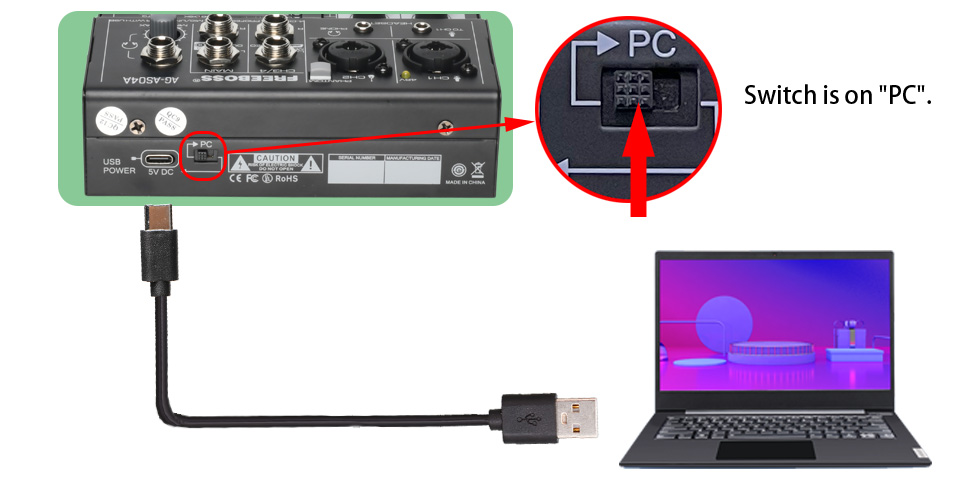
When switch is on "PC" position, for the Type-C interface, it is for Power + Signal
1) PC supply power,
2) PC signal can come into Mixer, Mixer signal can come into PC.
3) You can not use Bluetooth or USB-interface of front panel.
 1.For the connection of Computer, USB-disk, Mobile, Bluetooth, you only can use one of them at same time.
2.If you want to connect USB-disk, Mobile, Bluetooth to mixer, push the power switch to "USB POWER".
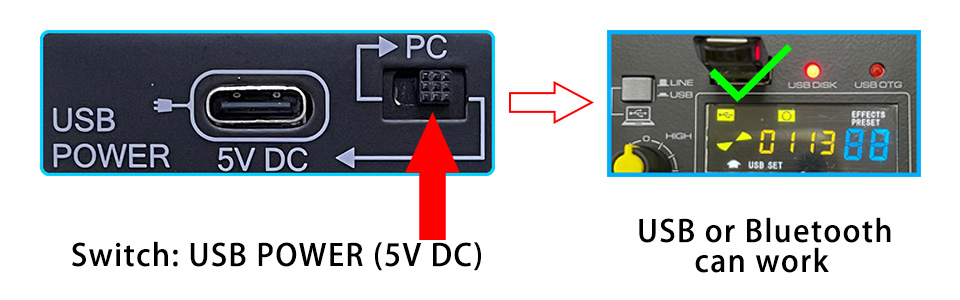
If you want to connect computer to mixer,
1) push the power switch "PC" position,
2) connect computer to mixer via Type-C interface.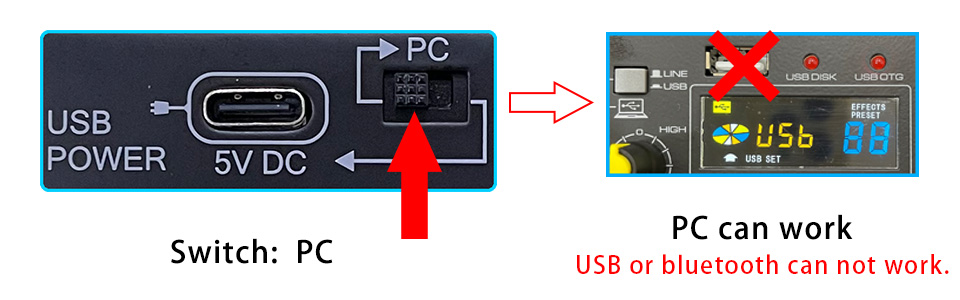
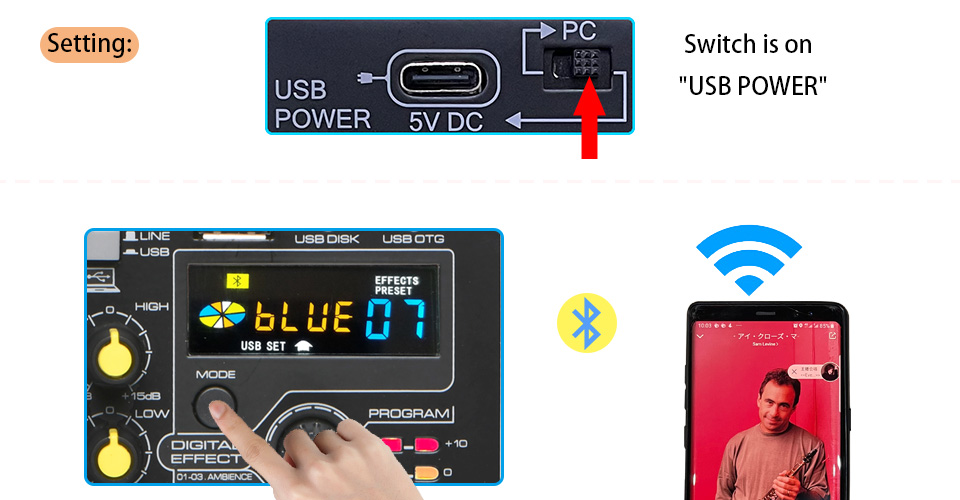
Bluetooth function:
Please push the switch to "USB POWER" and Press down " LINE/USB" button
1.Working range: 8-12 meters ( without obstacle)
2.It only can receive Bluetooth signal.
USB-Disk Play and Record
Please push the switch to "USB POWER"
USB-display:
USB disk format: FAT32
USB play format: MP3, WAV, WMA, FLAC
Please press down the "LINE/USB" button
Record format: MP3
(Before you record, please sure there is a song in the USB-disk)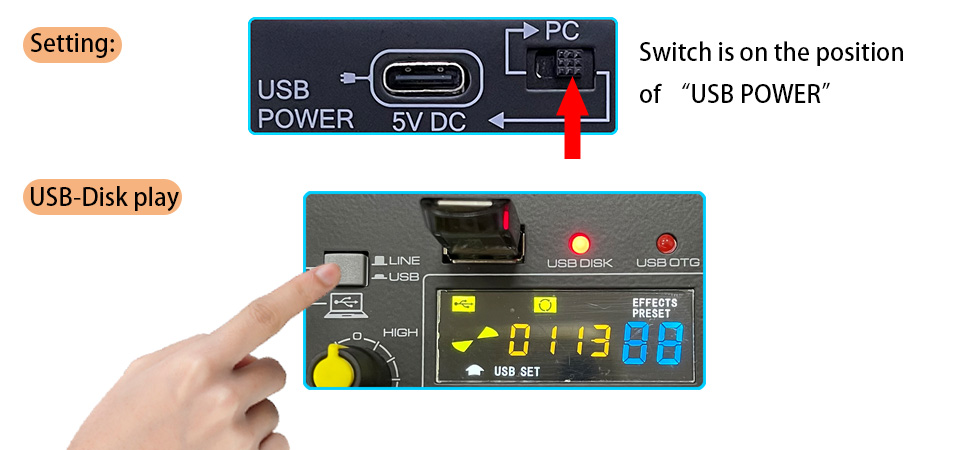
LINE/USB Button
when you use computer, USB-disk, mobile, bluetooth to play music, please press down "Line/USB" button, then you can control the signal via 3/4 Chanel.

Connect computer to Mixer
Setting: Switch is on the position of “PC”
1.You can connect your computer to Mixer via the Type-C USB interface of the mixer
2.Mixer can receive the signal from computer, and computer can receive the signal from Mixer.
3.Please press down the button of "LINE/USB".
PC play: You can play music from PC to mixer.--You need a pc music play software
PC record:You can record the sound from mixer--you need a pc record software.
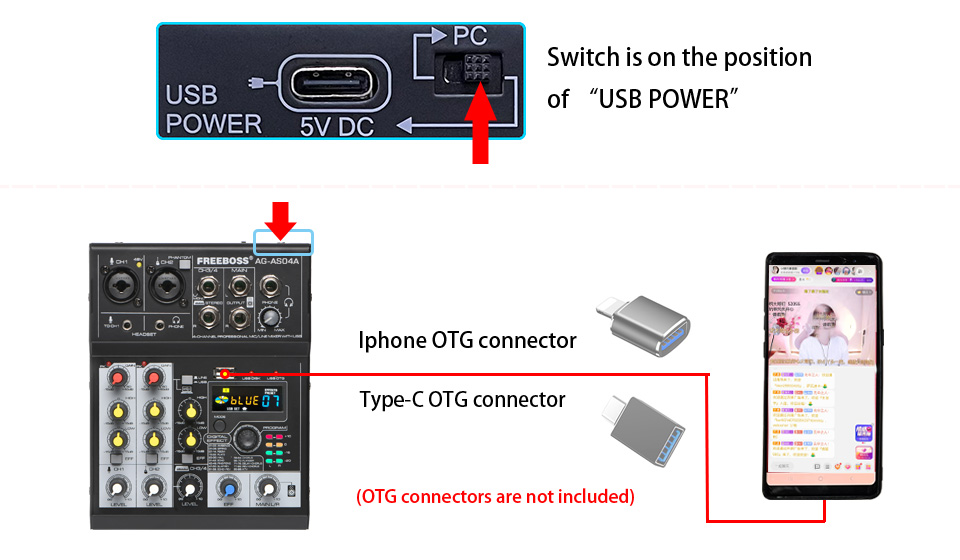
Connect Mobile to mixer to Make Live Broadcast (podcast)
Setting: Switch is on the position of “USB POWER”
1.In the package, there is one piece USB cable.
2.You can connect your mobile to Mixer via the TYPE-A USB interface of the mixer.
3.Mixer can receive the signal from Mobile, and Mobile can receive the signal from Mixer.
Please note:OTG connectors are not included.
Gain knob and Peak Light
Gain knob: Adjust the input signal level.
To get the best balance between the S/N ration and the dynamic range, adjust the gain so that the PEAK indicator only occasionally and briefly on the highest input transients.

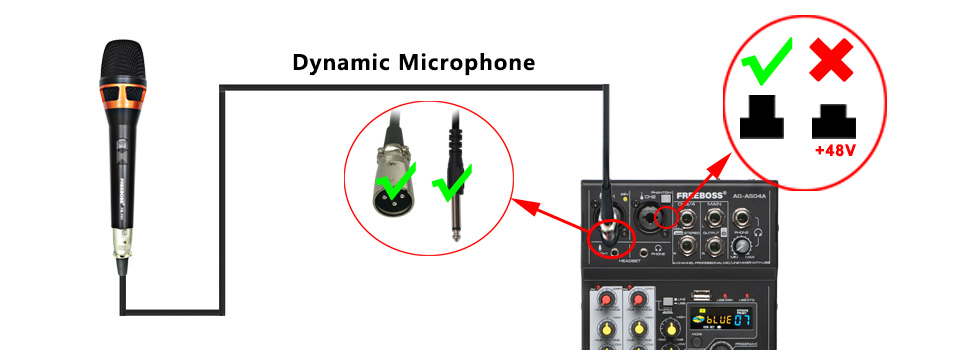
1.Connect dynamic microphone to Mixer
You can connect your dynamic microphone to mixer via XLR or 1/4' TS plug.
1) we suggest you use XLR plug to connect, there is a Pre-amplifier for microphone.
2) if you use 1/4' TS plug connect dynamic microphone to mixer, it can not use pre-amplifier. the signal will be weak. The effect is not good.
Please note:Do not supply +48V phantom power to your dynamic microphone, the power will burn the microphone.
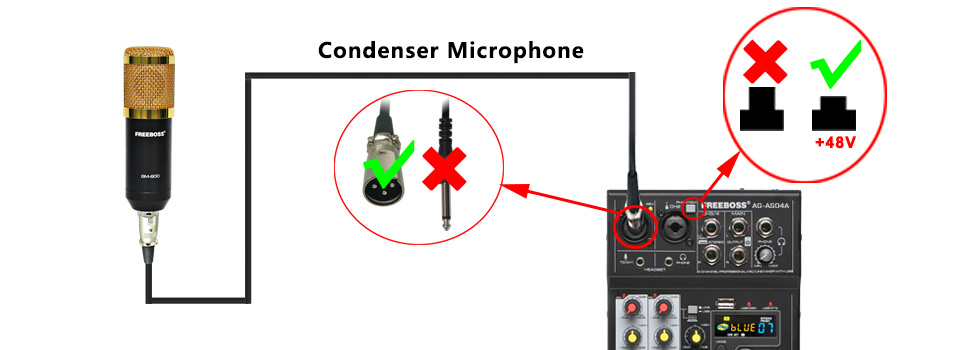
2.Connect +48V Condenser microphone to Mixer
If you condenser microphone supports +48V phantom power, you can not connect it to mixer via XLR.
you need turn on the +48V phantom power to supply the power.
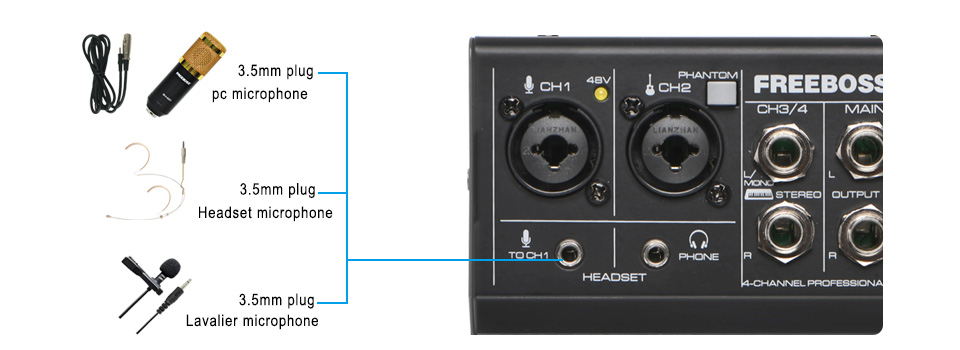
1.Connect 3.5mm plug Condenser microphone to Mixer
for this model mixer, it supports 3.5mm plug condenser microphone.
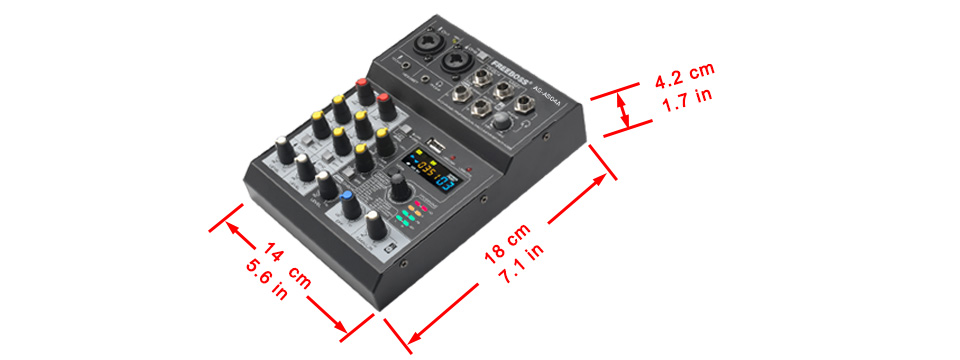
Portable
It is very small and it is portable.
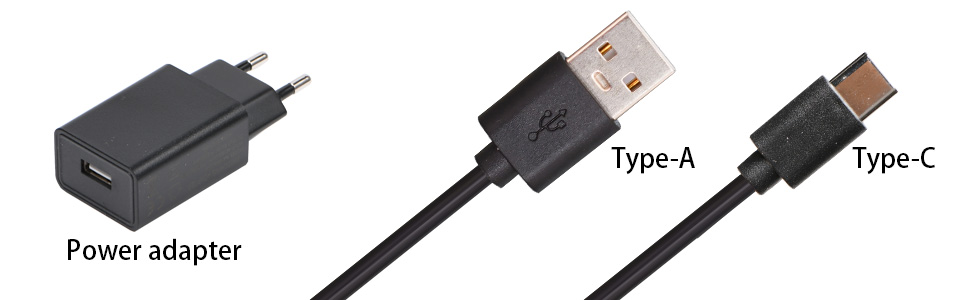
Parts:
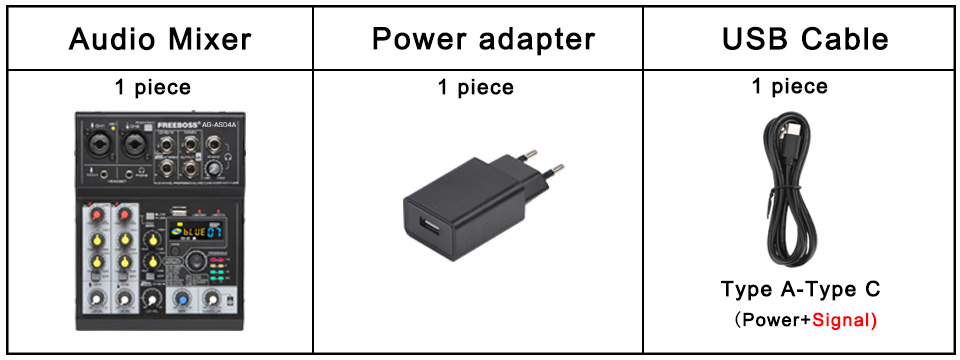
In the package, there is 1 pc power adapter and 1 pc USB cable.
Power adapter:
input: 100-240V 50/60Hz 0.3A
output: DC 5V 2A
USB cable:
1 Meter
Type A---Type C
Packing List:
Audio mixer 1pc
Power adapter 1pc
USB cable 1pc